 Encore Display
How to use a 27-inch 5K iMac as a monitor
There is no built-in way. The Retina 5K iMacs never had Target Display Mode, and they have no video input. Encore and one cable turn one into a 5K display for your Mac. A hardware conversion is the other route, if you're willing to open it.
Three ways
- Hardware swap. [$140 to $280]Take off the glass, remove the computer inside, and put a driver board in.
- Use Apple's built-in feature. [Free]For iMacs from 2009 to mid 2014, you can use Apple's Target Display feature.
- Use software and a cable you probably have lying around. [$49]Download Encore on both devices and connect them with a Thunderbolt, USB or Ethernet cable. Your iMac becomes a monitor to use.
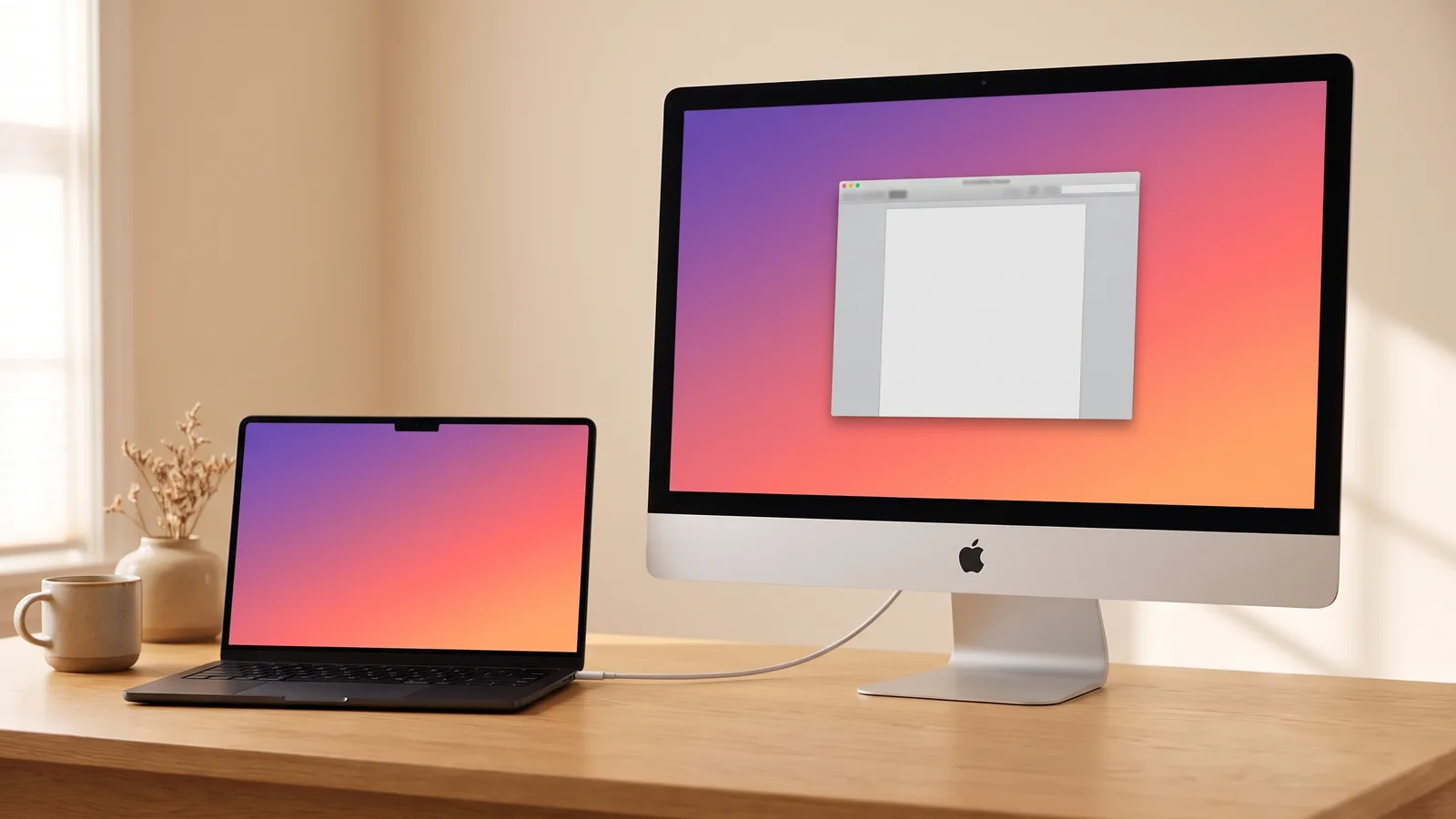
A 27-inch 5K iMac is the screen people don't want to throw away. The computer inside has aged. The panel hasn't. Every way to use an iMac as a monitor is compared on its own page. This one is only the 5K models.
Why a 5K iMac isn't a monitor already
Older iMacs had Target Display Mode: a cable in, Command-F2, and the iMac showed another Mac. Apple stopped that at mid 2014. The Retina 5K, which starts at Late 2014, never had it. The panel is wired to the iMac's own computer. There is no HDMI port and no DisplayPort input waiting on the back.
So the picture has to be drawn by the iMac itself. Encore does that in software. A conversion does it by replacing the computer with a driver board. Which older iMacs still have Target Display Mode.
Year by year
On the iMac, Apple menu › About This Mac shows the year, for example "iMac (Retina 5K, 27-inch, 2017)". All of these are 5120 × 2880.
| iMac | Cable from your Mac | AirPlay |
|---|---|---|
| Retina 5K, Late 2014 | USB-C to USB-A, into a rectangular USB port. This is the model the measurements on this site come from. | No |
| Retina 5K, Mid 2015 and Late 2015 | The same USB-C to USB-A cable. | No |
| Retina 5K, 2017 | USB-C, or a Thunderbolt 3 or 4 cable, into an oval port. | No |
| Retina 5K, 2019 | USB-C or Thunderbolt, same as 2017. | Yes, over Wi-Fi. Compressed. |
| Retina 5K, 2020 | USB-C or Thunderbolt. | Yes, over Wi-Fi. Compressed. |
Use a data cable: USB 3 (5 Gbps or faster) or Thunderbolt. A charge-only phone cable will not work. An Ethernet cable straight between the two Macs also works, not through a router. If your other Mac is Intel, it cannot make this link over USB. It needs Thunderbolt or that direct Ethernet cable. Check your iMac and your Mac.
Check your 5K iMac
Which iMac do you want to use as a monitor?
Select one
Which year is it?
Select one
On the iMac: Apple menu › About This Mac shows the year.
Which Mac do you work on?
Select one
Which MacBook Air?
Select one
Not sure? Apple menu › About This Mac shows the chip: Apple M1 or later, or Intel.
Which MacBook Pro?
Select one
Not sure? Apple menu › About This Mac shows the chip: Apple M1 or later, or Intel.
Which Mac mini?
Select one
Not sure? Apple menu › About This Mac shows the chip: Apple M1 or later, or Intel.
Which iMac?
Select one
Not sure? Apple menu › About This Mac shows the chip: Apple M1 or later, or Intel.
Which Mac Pro?
Select one
Not sure? Apple menu › About This Mac shows the chip: Apple M1 or later, or Intel.
- Encore, on both MacsThe same app on your iMac and on the Mac you work on. Free for 7 days.Download for Mac
- One cable. Either of these works:
One more option
Your options
| Route | What you get | What it costs you |
|---|---|---|
| Encore and one cable | A real display in System Settings. The iMac is still a computer when you unplug. | $49 once, after 7 days free. A cable. |
| AirPlay, 2019 and 2020 only | Wireless, from Control Center › Screen Mirroring. | Free. The picture is compressed, so text is soft. |
| Hardware conversion | A plain monitor, including for a PC. | Opening the glass, a driver board, and no computer left inside. What that involves. |
What the picture is like
Measured on a Late 2014 27-inch 5K iMac and a MacBook Pro with M4, over USB-C to USB-A, on 23 October 2026:
- The panel is 5120 × 2880, and still interface matched the Mac exactly in picture checks.
- Windows land 26 to 31 ms after they would on a real 60 Hz monitor.
- Video was 43 ms behind that same monitor, at 56 to 57 frames a second in the measured run, about 60 once the video was detected.
- The picture came back 1.9, 2.2 and 2.3 seconds after plugging in, across three tries, and 0.6 seconds after each of 20 wakes.
How those numbers were measured, including the camera test. The 2015, 2017, 2019 and 2020 models are supported. They have not been timed on their own hardware.
A 5K iMac against a new 5K display
When Apple launched the 27-inch Studio Display in March 2022, it cost $1,599 (Apple Newsroom). It is a 27-inch display at 5120 × 2880, the same resolution as these iMacs. The iMac you already own is that panel, with a computer attached. Encore uses the panel. It does not turn the iMac into a Studio Display, and it does not add the Studio Display's speakers or camera features beyond what the iMac already has.
Set it up with a MacBook or a Mac mini.
Encore
Your old iMac. Now a monitor.
Free to try · no account · for Macs on macOS 13 or later
Questions people ask
Can I use my 2017 iMac as a monitor?
Yes. The 2017 27-inch is a Retina 5K iMac. It never had Target Display Mode. With Encore it becomes a display for a Mac on macOS 13 or later, over a USB-C or Thunderbolt cable. Nothing is opened.
Does the 2017 iMac have Target Display Mode?
No. Target Display Mode stopped at mid 2014. No Retina 5K iMac has it. Which iMacs have it.
Can I use my old iMac as just a screen?
Yes, and it can stay a computer too. Unplug the cable and the iMac is itself again. A hardware conversion is the version that removes the computer.
Is an iMac a computer or just a monitor?
It's a computer. Used with Encore it is also a monitor while the cable is in. The screen is 5120 by 2880 on every 27-inch Retina 5K iMac from Late 2014 to 2020.
How can I convert my iMac into a monitor?
If you want to open it and fit a driver board, that's a hardware conversion. If it still turns on, software and one cable do the job without that. What a conversion involves.