 Encore Display
Use one Mac as a monitor for another Mac
The Mac that becomes the screen has to be an iMac. A MacBook, Mac mini or Mac Studio can be the computer. They cannot be the display.
Three ways
- Hardware swap. [$140 to $280]Take off the glass, remove the computer inside, and put a driver board in.
- Use Apple's built-in feature. [Free]For iMacs from 2009 to mid 2014, you can use Apple's Target Display feature.
- Use software and a cable you probably have lying around. [$49]Download Encore on both devices and connect them with a Thunderbolt, USB or Ethernet cable. Your iMac becomes a monitor to use.
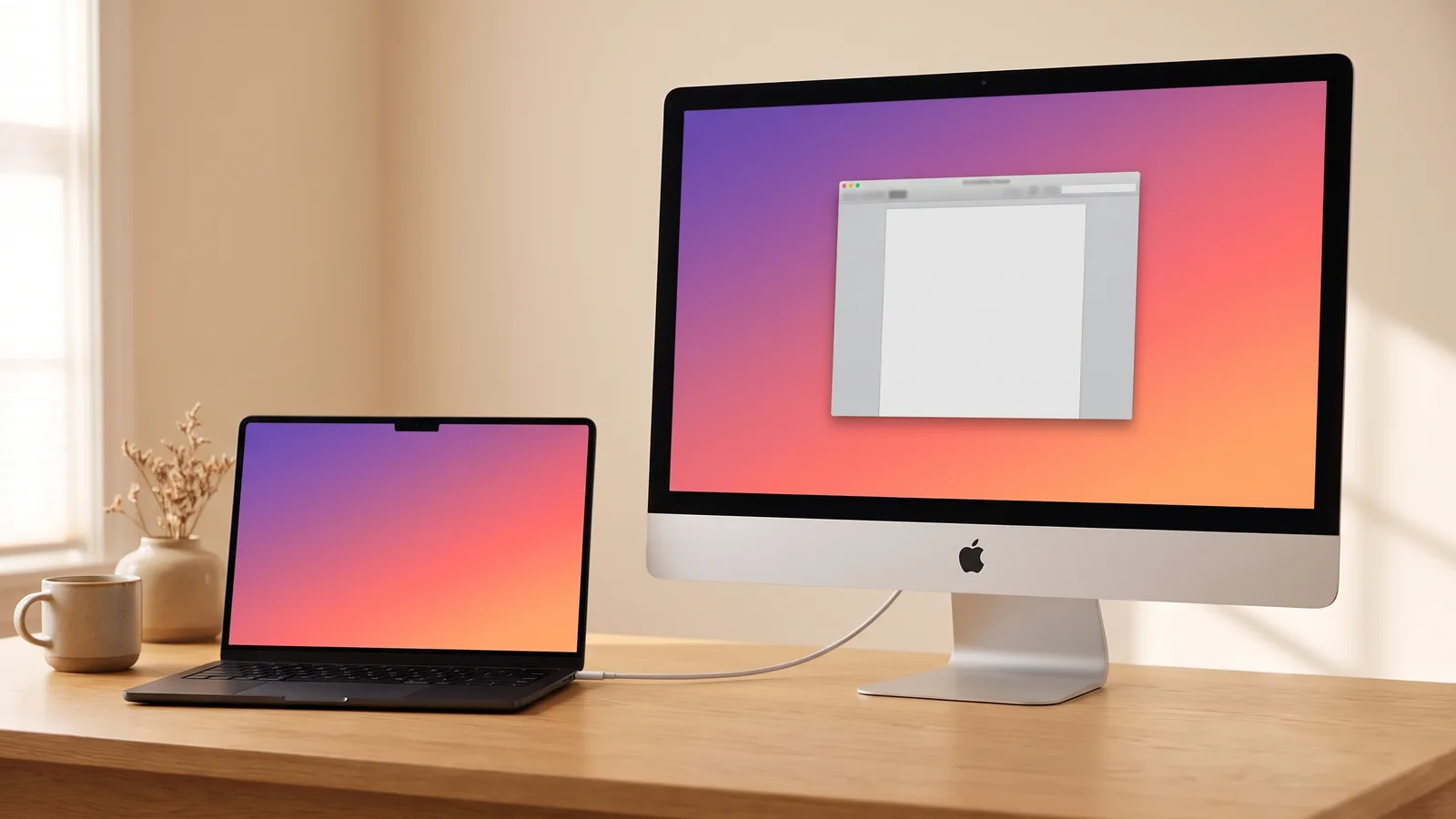
People ask this when they have two Macs and want one of them to act like a monitor. It works in one direction. The iMac shows the other Mac. The other way around is not something Encore does.
Which Mac can be the screen
| This Mac | Can it be the monitor? |
|---|---|
| Intel iMac from Late 2012 on, or iMac Pro | Yes. Encore and one cable. Check the model. |
| MacBook Air or MacBook Pro | No. It is the computer. The iMac is the screen. |
| Mac mini, Mac Studio or Mac Pro | No. Same idea: they send the picture, they don't show it. |
| 24-inch iMac with Apple silicon | Not with Encore. AirPlay is the built-in option. |
An iMac as the screen
Install Encore on both Macs, then connect them with one cable. The iMac shows up in System Settings › Displays, and you extend, mirror or make it the main screen like any monitor. Every way to use an iMac as a monitor compares the options. Using it as a second monitor covers arranging the screens.
The cable depends on the iMac. USB-C to USB-A for 2012 to 2015, USB-C or Thunderbolt for 2017 to 2020, or Ethernet between the two Macs. A MacBook is the usual computer. A Mac mini works too, after a one-time setup on any TV.
Encore
Your old iMac. Now a monitor.
Free to try · no account · for Macs on macOS 13 or later
A MacBook as the screen
Encore does not put another Mac's desktop on a MacBook. The MacBook is the computer in this setup, and the iMac is the display.
Apple's own route is AirPlay to Mac. The Mac that receives the picture needs macOS Monterey or later, and it has to be on Apple's list: iMac Pro, a Mac mini from 2020 on, or another Mac introduced in 2018 or later. That includes a 2018 or later MacBook, and an iMac from 2019 on. Older Macs can receive AirPlay at a lower resolution if "Allow AirPlay for" is set to everyone, or to anyone on the same network (Apple Support, retrieved October 2026). Turn on AirPlay Receiver, then pick the Mac from Control Center › Screen Mirroring. If an iMac is missing from that list, this is why.
Sidecar and Universal Control are not a second screen
Sidecar uses an iPad as a second display for a Mac. It does not turn one Mac into a monitor for another.
Universal Control lets one keyboard and mouse work across nearby Macs and an iPad, on macOS Monterey 12.4 or later. Each Mac still shows its own desktop. Moving the pointer onto the other Mac is not the same as extending your screen onto it (Apple Support, retrieved October 2026).
What you notice: a cable, or Wi-Fi
AirPlay sends a compressed picture over Wi-Fi. Text looks soft, and the pointer trails a little. It is fine for showing something across the room.
A cable is the everyday option. On our desk, a MacBook Pro with M4 and a Late 2014 27-inch 5K iMac, windows sit 26 to 31 ms behind a real monitor and video sits 43 ms behind. How that was measured. Other iMacs are supported. They have not been timed on their own hardware.
Questions people ask
Can I use a Mac as a second monitor for another Mac?
Yes, if the Mac that becomes the screen is an Intel iMac from Late 2012 on, or an iMac Pro. Encore and one cable do that. A MacBook cannot be the display.
Can you use a Mac as a monitor for a MacBook?
An iMac can, with Encore and one cable. The MacBook stays the computer. The MacBook's own screen cannot show another Mac.
Can an Apple Mac be used as a monitor?
An Intel iMac can. A MacBook, Mac mini, Mac Studio or Mac Pro cannot be the screen with Encore. They can send their screen to an iMac.